
Native Guild
Calendar, events and direct signup. Modern member profile photos, rosters and Discord Raid, with management according to your permissions.
AION 2 GLOBAL · WINDOWS
Your fights. Your character. Your guild.
Analyze your fights, find your character and organize your guild in AionLive. The Orbynia map, Radar and independent panels keep your tools close at hand.
Version 0.9.74 · Windows x64 · 237 MB · FreeAION 2 Global · Automatic capture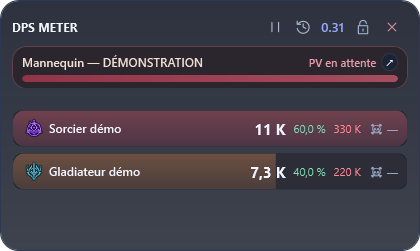
PUBLIC RELEASE · 0.9.74
Explore the additions in the version available to download.
Calendar, events and direct signup. Modern member profile photos, rosters and Discord Raid, with management according to your permissions.
Compact Home and automatic character switching. Ranking portraits and refresh while visible; in Collection, a pet’s map follows your zone.
Menus, mini-map, OCR and captcha detection use screen reading. Captures are bounded and the mini-map pauses in menus.
AIONLIVE · 0.9.74
Nearby monsters, soul counters and a direction to follow.
Portraits, families and counters remain visible. Click your selection again to return to the nearest monster.
Direction and estimated distance to the tracked monster when its position and the mini-map are recognized.
No circles or pins added to maps. The compass reuses your existing calibration without requiring setup after each update.
Missing values remain indicated: unknown positions are never invented.
Interactive preview · demonstration data. Click Brax to try the compass.
ORBYNIA · AIONLIVE 0.9.74
A compact icon-only toolbar for DPS Meter, PvP Tracker, radar, timers, Endurance/Flight and Daily checklist. A dark charcoal theme, blue-violet accents and independent windows.
Damage, DPS, observed deaths, contribution and target health. Click a player to inspect skills. Pause and reset stay in this panel. DPS stays visible after you stop attacking. Missing values remain marked as unavailable.
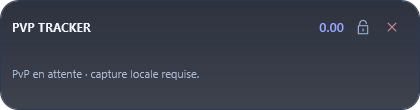
PvP tracking keeps its own panel for player exchanges identified by capture.
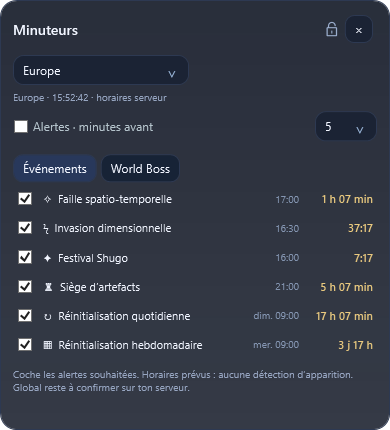
Events and scheduled World Bosses: Kaira, Nahma and siege bosses, with chosen alerts. Global schedules still need confirmation on your server.
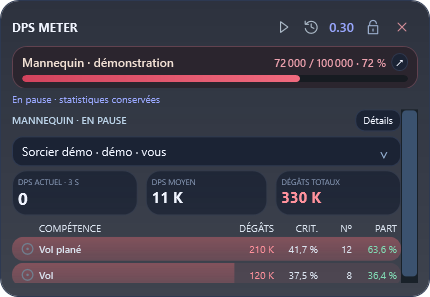
Compact dummy mode shows current DPS, average DPS and total damage. Details opens a separate table of every skill; Pause saves the current encounter.

Target HP percentage uses white text for both mobs and bosses, with no background or border. It appears when you attack and hides after five seconds without damage or when the target dies. Drag it onto the game health bar. Open it with the toolbar heart or the arrow by target HP. Placement, docking and lock state are remembered.
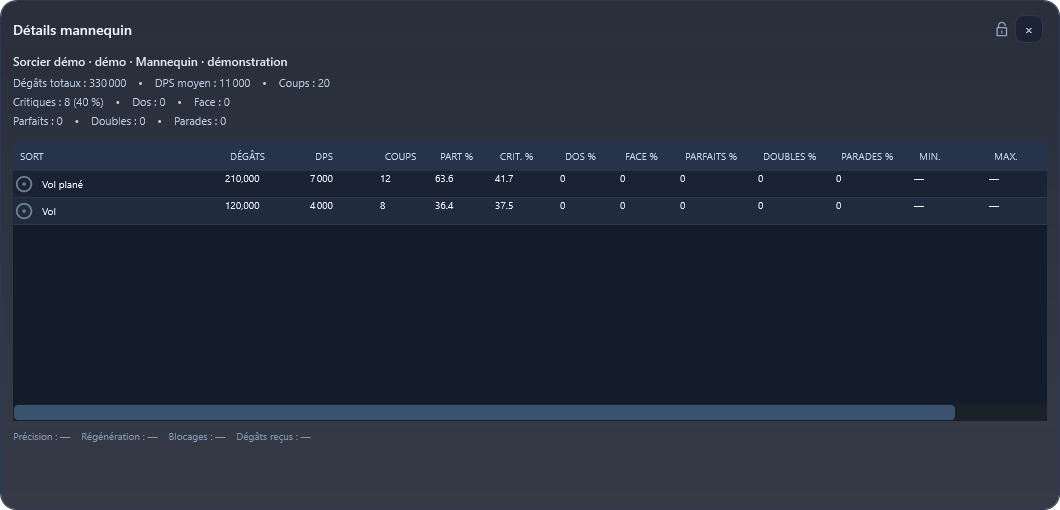
The dummy Details button opens all skills in a separate table: damage, DPS, hits, criticals, back and front attacks, perfects, doubles, parries and hit values. Missing information stays marked as unavailable.
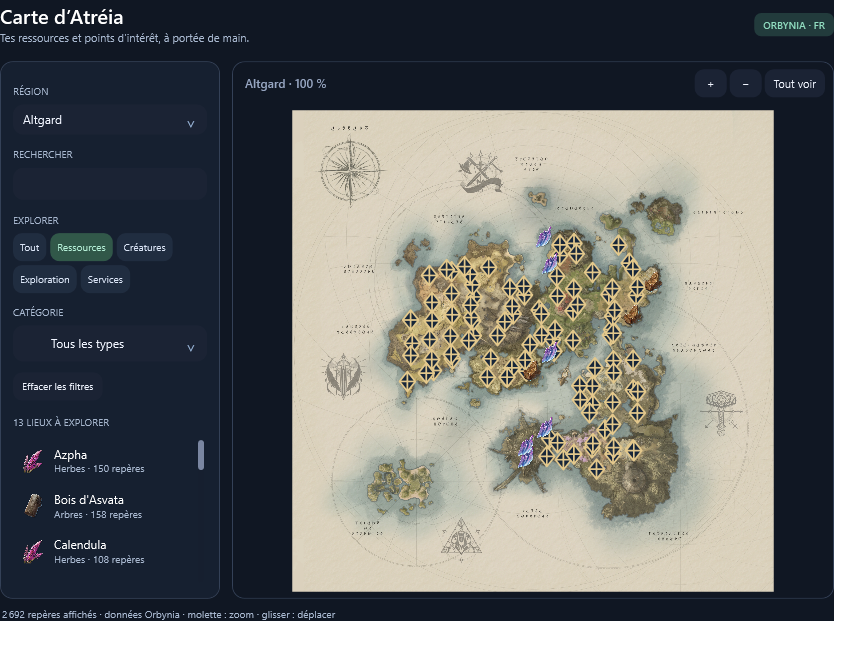
The Home map includes website resources and known locations, with filters and French search. Catalog locations do not confirm live presence.
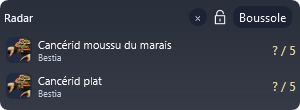
Nearby monsters, portraits, families and soul counters. The compass reuses the configured mini-map; no map pins are added.
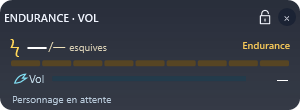
Character resources in an independent panel.
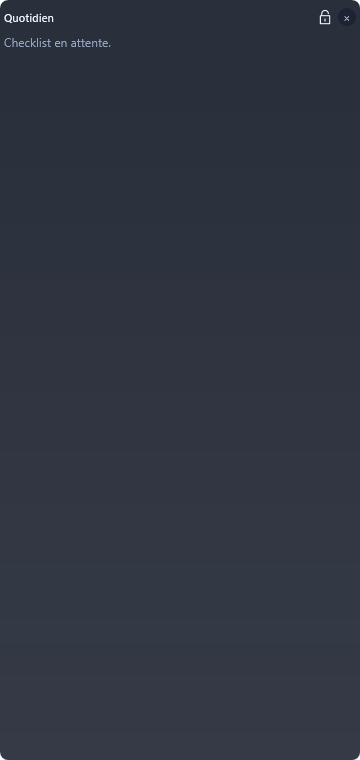
Automatic tracking of resources and activities received from the game.
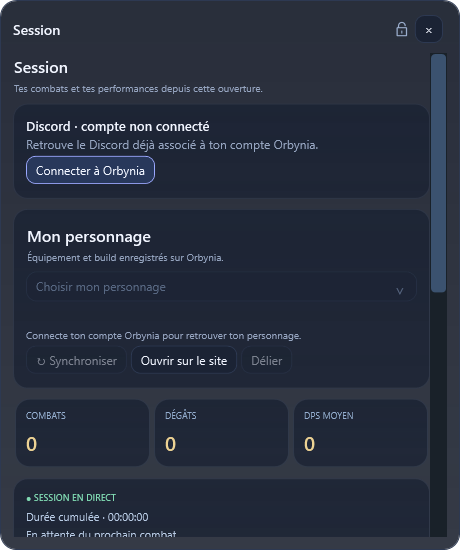
Dummy training is saved automatically: the same session updates every five seconds, after damage stops and immediately on pause. Summary, history and alerts remain available. Move alerts and their placement is saved.
Windows dock to game edges or to each other and lock independently. The toolbar collapses into an Orbynia button. Closing DPS keeps the toolbar and capture active. Orbynia opens the website directly.
AIONLIVE · 0.9.74
Explore features and open a card to discover the details.
31 features to explore
OCR is reserved for the captcha alert. Enter the answer in the game. Menu recognition and the compass use separate image analysis rather than combat text reading.
Radar shows known nearby monsters with portraits, families and soul counts received from the game. Click a type to follow it with the compass; click again for automatic nearest selection. No map pins are drawn.
The compass shows direction and estimated distance to the nearest monster among your selections. Move it, collapse it and adjust its scale and width using its controls.
Panels can hide in game menus and return when they close. Windows have their own position, lock and opacity settings. Recognition depends on the game interface and framing.
Connect your Orbynia account and save your characters with their name, class and server. When the identity received from the game matches a saved character, Home and Session switch to that character. Equipment, build and Daevanion points come from saved website data, refreshed every 30 seconds or with Sync. This synchronization does not detect equipment worn in game.
Home → Guild includes a monthly calendar, event cards and direct signup. Members view and join events; leaders, administrators and moderators create and manage them according to guild permissions. Groups and management controls expand on demand. Ongoing events remain available while registration is open.
View available profile photos, classes, levels, roles and member DKP. Search helps you find a player. View groups and your assignments, and collapse rosters for a compact overview. Management is limited to authorized members.
Authorized managers can access Discord Raid configuration, group voice channels and start or stop controls in Guild. Available choices follow the Discord connection and guild permissions.
Receive new guild events in AionLive, with a toolbar indicator and adjustable sound. Open the event from its notification to view details and sign up. Your Orbynia account connection and guild alerts must be enabled.
Home → Map offers a map adapted for AionLive using Orbynia website data. Choose a zone, filter resources and other categories, then search using French names. Icons and the place list let you browse the catalog. These are known locations, not confirmation of live presence.
Select events in Timers. Settings → Appearance controls sound, volume from 0 to 100%, and lead time from 0 to 30 minutes. The Orbynia chime and alerts follow the selected region, even with the panel hidden. A scheduled time does not confirm an actual server opening.
An optional popup summarizes your identified character. Session retains the last result with the top skill by damage and the difference from the previous comparable fight: same name, class and target. DPS uses the common encounter duration.
Set a target in Settings → Combat. The gauge shows your average DPS, target and achieved percentage in the DPS view. It waits for your identity if needed. Set 0 to hide it; no arbitrary target is imposed.
Attack a dummy to show compact training with current DPS, average DPS and damage. Details opens every skill in a separate table. Pausing saves the current encounter to the same history entry. Attempt comparisons remain available in Settings → Combat.
By default Ctrl + Alt + F1 pauses, F2 resets, F3 hides or shows and F4 switches to the next tab. Settings → Appearance lets you choose F1 to F12 or disable a command. Duplicate bindings are rejected and reserved keys are reported.
Session instantly filters the 100 recent encounters by target or date dd/MM. Select a duration, favorite an encounter or show favorites only. Favorites are saved on this PC between app runs.
Menu ⚙ → Display profiles lets you save and load each profile’s size, position and appearance. Solo and Party open DPS, PvP opens PvP. This does not change capture rules; alerts, shortcuts and your target remain independent.
Rift, dimensional invasion, Shugo Festival, Kaira, sieges, bosses, Nahma and daily/weekly resets. Select the region and Korean group. Scheduled times do not detect actual openings; Global schedules still need confirmation on your server.
Download the current version from the AionLive page, close the app and run the setup wizard. It remembers the installation folder and preserves settings and history. Source code and SHA-256 checksums are available on the same page.
In Local mode, all detected players are shown by default. The Group filter in settings shows only yourself and confirmed party members. Players of the same class remain separate. Party changes also update skill details and damage shares. Values use K or M to keep columns readable. Observed Cleric group healing appears beside DPS, with HPS in the tooltip. aDPS and rDPS remain unavailable.
The PvP tab shows outgoing/incoming damage, DPS and damaging skills in Local mode. Rows include an icon, French name, damage and estimated cooldown countdowns for all eight classes. The timer starts at the first direct impact and advances without new damage, including while paused. Multi-hits and periodic damage do not restart an active window. Click for hit and critical statistics. Cooldown reductions, resets and non-damaging skills are not detected. Players may be recognized before their names. Kills, deaths and assists are not attributed. This counter does not support GeForce NOW and still needs real combat validation.
Click a player to view skill icons, damage, average DPS, hits, damage share and critical rate. The window opens to the right of the overlay when space allows. Select a skill to see detailed statistics.
The bar displays health transmitted by the game. Percentages require a known maximum; health is not inferred from damage. Local mode offers combat filters including Boss and Dummy.
Pause suspends tracking. Reset clears the combat, including the PvP counter. The red close button exits AionLive completely.
Move the overlay and customize its appearance. Settings are grouped into Appearance, Combat and Capture. The toolbar displays local time and opens DPS Meter, PvP Tracker, Timers, Radar, Endurance/Flight and Daily checklist. Click a character to inspect their skills.
Ctrl + Alt + F8 toggles click-through. The settings menu also provides access to layout, sharing, critical hits, timeline, party, analysis and history.
Local mode reads combat data using Npcap. Start AionLive before connecting your character to receive its initial state. No game-memory access.
View encounter count, damage, average DPS and duration. Select a past encounter to review, export or share it, then return to live combat. History stays on your PC.
The menu offers Critical hits, Timeline, Party and Analysis views of received data. Available information depends on events identified by the capture mode.
Export a selected encounter or share it to Orbynia and Discord. Session retrieves your linked Discord name and avatar. Authorize once in your browser, then choose an available server and channel. The connection is saved on your PC and the selected channel is synced with the website. Sharing provides a preview and requires clicking Send. Exports retain detected player names; anonymous mode has been removed. Account and guild connection remains available on this page.
Rankings display available public portraits and open full player profiles. The initial power ranking across all regions matches the website. Results refresh every 15 to 60 seconds while the tab is visible; recent profiles are reused in a bounded cache. Different filters can produce different rankings.
No feature found. Try another word or category.
VIDEO GUIDE
See how to read your combat and find useful information in the overlay. Audio is in French.
See the target, its health bar and your group’s damage live.
Open the skill breakdown and review earlier encounters.
Explore overlay views and available settings.
French audio · 5 min 14 sec
READY TO TRY IT?
ORBYNIA LIVE · 0.9.74
Version 0.9.74 · GPL-3.0 license · Npcap not included.
YOUR TEAM, CONNECTED
Connect your account to find your character, access native Guild tools, view guild events and share encounters.
AionLive is developed independently. Your support helps fund its development, maintenance and future features.